
Free AI Image
Free AI Image tool information
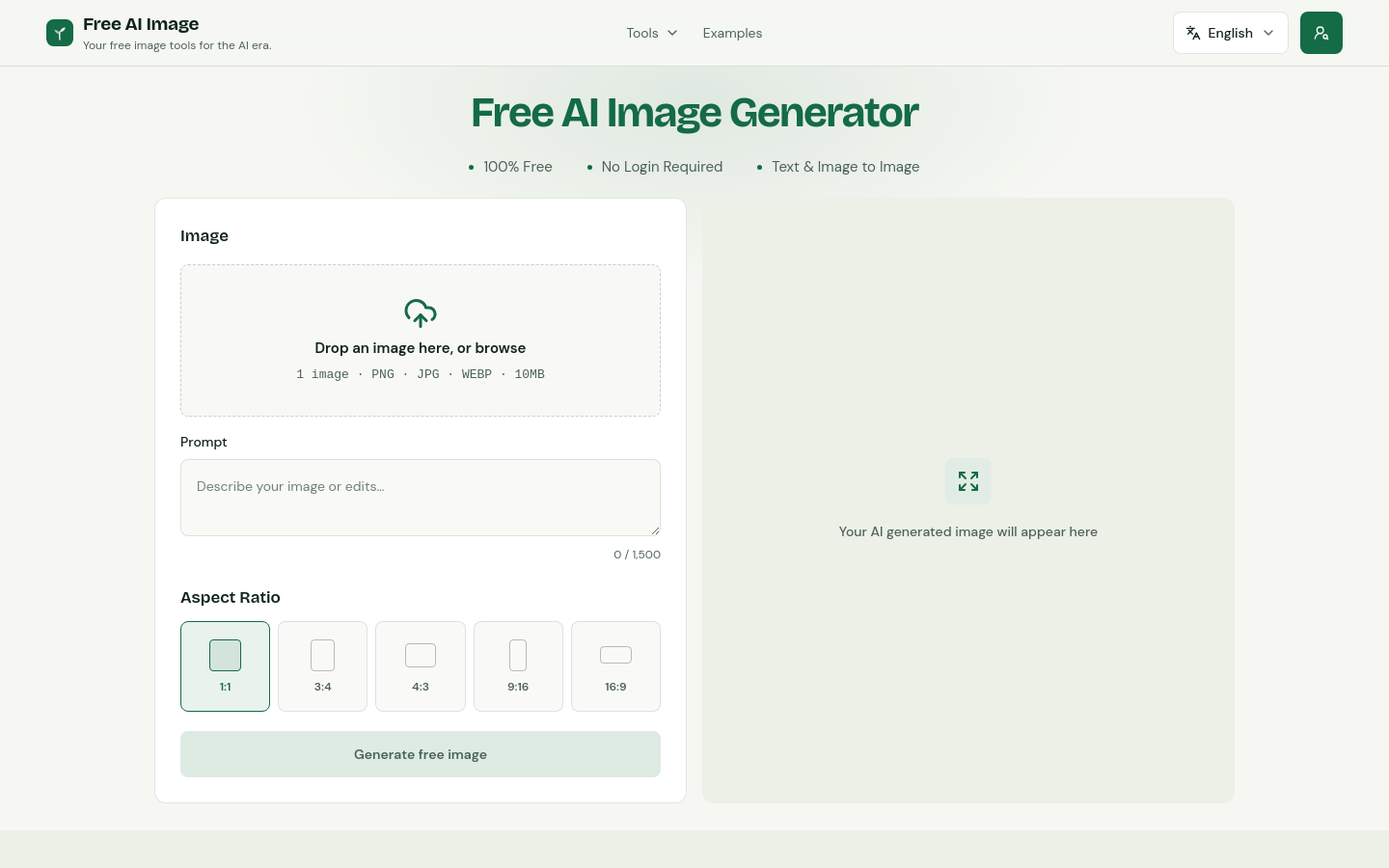
Free AI Image is a free AI image generator that turns text prompts into clean, usable visual drafts directly in the browser. It is designed for fast everyday creation: describe an idea, choose an aspect ratio, generate an image, review the result, and refine the prompt without a heavy setup process. The product focuses on accessible text-to-image workflows with no sign-up required for the core generator, while also supporting a focused studio experience for creators who need practical visual assets. Free AI Image can help marketers, creators, designers, founders, students, and small teams quickly explore social media graphics, blog visuals, product concepts, moodboards, thumbnails, presentation images, and creative experiments from simple natural-language prompts.
Use cases and tags
Frequently asked questions from Free AI Image
What is Free AI Image Generator?
Free AI Image Generator creates images from written descriptions and uploaded photos. Use it to turn an idea into a visual or give an existing image a new look.
What is the best AI image generator?
The best choice depends on what you want to create and how much control you need. Free AI Image Generator is a good fit for straightforward text-to-image and photo-based creation with free downloads.
Is Free AI Image Generator free to use?
Yes. You can generate and download images with the free model without spending Credits.
What can I use Free AI Image Generator for?
Use it for social graphics, blog illustrations, product concepts, characters, and moodboards. Describe the scene and style you want to explore.
How do I use Free AI Image Generator?
Upload a photo, describe your changes, choose an aspect ratio, and generate. For a prompt without a photo, open Free AI Text To Image Generator. Review the result and download the version you want to keep.
What image formats and file sizes does Free AI Image Generator support?
Image-to-image generation accepts up to four PNG, JPG, or WebP images, each up to 10MB, together with your written instructions. Text-to-image generation only needs a prompt.
Do I need to sign in to use Free AI Image Generator?
No. You can use the free generator without creating an account.
Can I generate images from both text and photos?
Yes. Start with a written prompt in Text To Image, or upload a photo and describe your changes in Image To Image. Both support square, portrait, and landscape compositions.
What should I check in the generated image?
Inspect the subject, composition, faces, hands, and any lettering at full size. For photo-based edits, compare important details with the original before downloading.
Are there any limits on how many images I can generate?
Yes. Free generation is subject to usage limits, and each request produces one image. Finish one generation before starting the next; follow any limit message shown in the workspace.
Why it is listed
- Reviewed before publication
- Pricing model clearly labeled