
HtmlSlides
HtmlSlides tool information
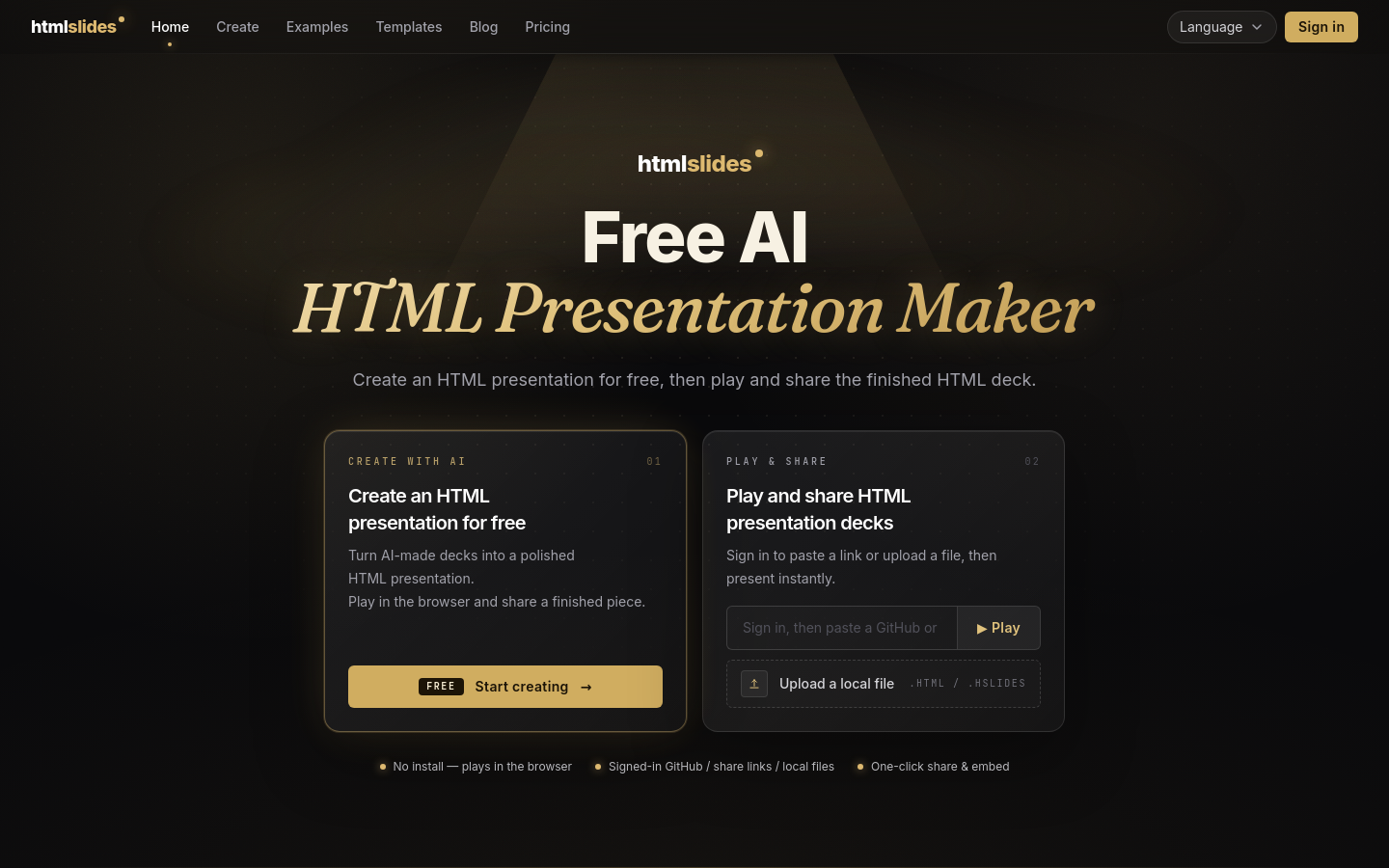
Free AI HTML presentation maker for creating, playing, sharing, embedding, and exporting interactive browser-based slide decks.
Use cases and tags
Frequently asked questions from HtmlSlides
What is htmlslides — a free HTML presentation maker?
htmlslides is a free HTML presentation maker — an AI-native platform for creating, playing, sharing, and embedding dynamic HTML slide decks in modern browsers with no install, with public decks shared as a single link.
Why use HTML slides instead of PowerPoint?
HTML decks can carry animation, interactivity, and live data, open in modern browsers without installing a presentation app, and travel as one link instead of a large attachment. Browser and device differences still need testing before delivery.
How do I create a presentation with htmlslides?
Start from an official template in the marketplace, or sign in to copy the ready-made prompt on the Create page and give it to any AI agent (Claude Code, Codex, Cursor) to generate the whole deck, then upload, play, and share.
What formats does htmlslides support?
htmlslides supports single HTML files, .hslides packages, GitHub repositories, GitHub file URLs, and public htmlslides share links.
How much does htmlslides cost?
A signed-in Free account can upload, play, and share. Pro has a $9.90/month launch offer and unlocks every official template, 1GB storage, Speaker Mode, and one-click video export. Template credits start at $1.
How do AI agents use htmlslides?
Agents can read the public /skill endpoint for the deck specification, then generate standards-compliant HTML presentations that play directly on htmlslides.
What is htmlslides — a free HTML presentation maker? +
htmlslides is a free AI HTML presentation maker: build a presentation as dynamic HTML, then play, share, and embed it right in your browser — no software to install. Unlike a PowerPoint, an HTML presentation carries real animation, interaction, and live content, and travels as a single link, so your ideas are far more likely to get watched and remembered.
Why HTML instead of PowerPoint? +
Because it's alive. HTML decks carry real animation, interactivity, and live data, and render identically in any browser on any device — open and go. You send a link, not a 40MB attachment that might not open or might break its layout on someone else's machine. In the AI era, that's how a speaker stands out.
I don't have a deck yet — how do I make one? +
Two fast paths. Start from the template marketplace — polished, animated official templates ready to make yours. Or open Create, sign in to copy our ready-made prompt, and hand it to any AI agent (Claude Code, Codex, Cursor…) to generate the entire deck, then upload and play. You bring the ideas; AI does the build.
What files are supported? Do I need to know how to code? +
Any HTML file with elements. After signing in, you can import from a GitHub link or local file; public share links still open directly for viewers. Can't code? Use a template or let AI generate it. Can code? Your deck is fully yours — no proprietary format, no lock-in.
How do I share, embed, or export video? +
Every import gets a unique share link anyone can play in a browser. You can also copy an embed snippet for your own site, or record the whole deck into a downloadable video right in the browser and post it anywhere. Build once, share everywhere.
What's the difference between Free and Pro? +
A signed-in Free account can upload, play, and share, with 10 official templates free and 50MB of storage. Pro (launch offer $9.90/mo) makes every official template free, bumps storage to 1GB, lets you edit text and speaker notes in saved presentations, and unlocks Speaker Mode (a dual-screen view with current slide, next-slide preview, and editable notes) plus one-click video export. If you present for real with any regularity, Pro tends to pay for itself the first time out.
What are credits, and do I need them? +
Credits buy premium templates in the marketplace, starting at $1 and used only when you want one. If you're on Pro, every official template is already free — so you usually won't need to buy credits separately.
Why it is listed
- Reviewed before publication
- Pricing model clearly labeled