Pika H3 Flex AI Video Generator with Sound | H3 Flex
Pika H3 Flex AI Video Generator with Sound | H3 Flex tool information
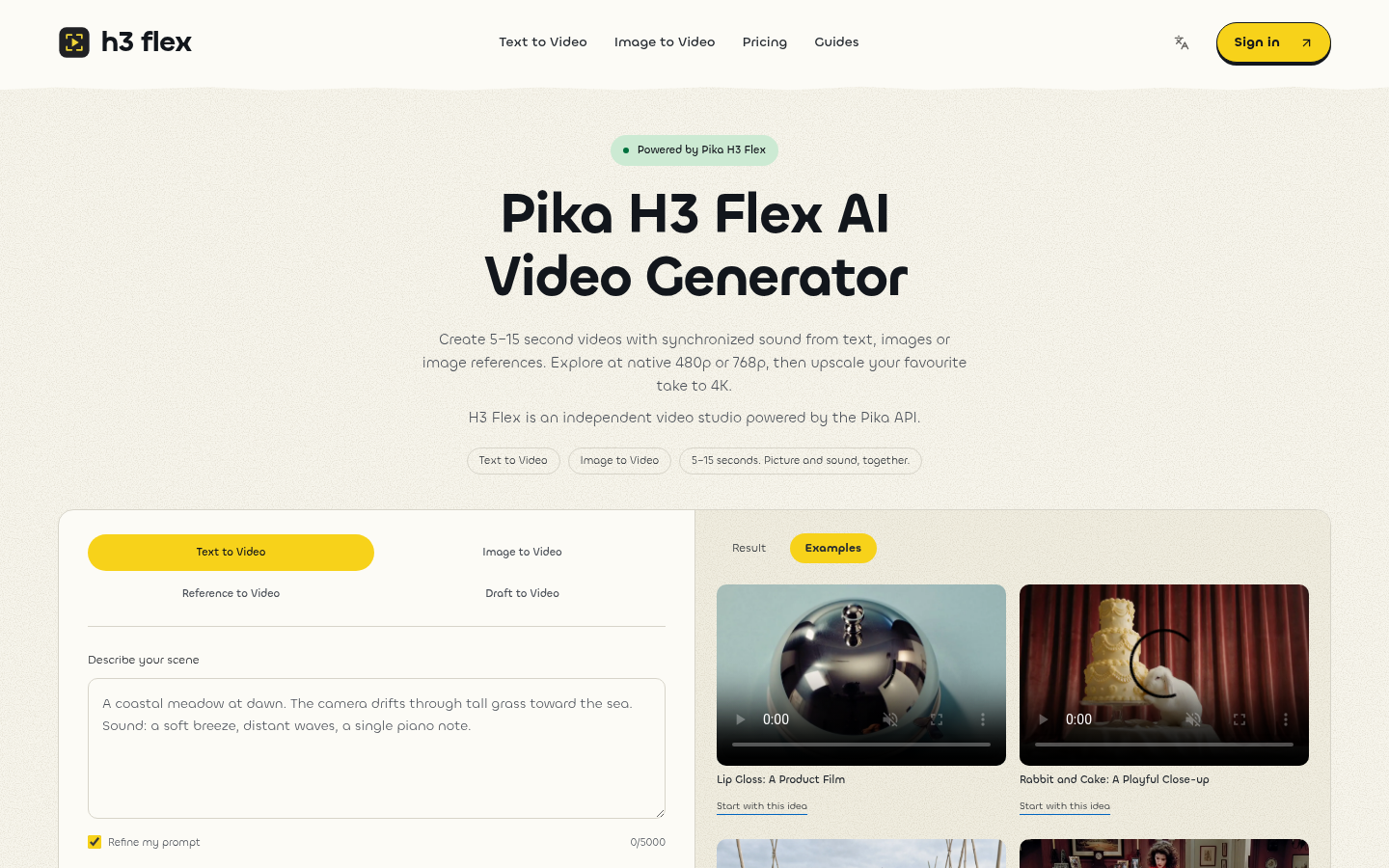
Create videos with sound using Pika H3 Flex. Start with text, images or references, generate 5–15 second clips, and upscale your drafts to 4K.
Frequently asked questions from Pika H3 Flex AI Video Generator with Sound | H3 Flex
What is Pika H3 Flex and which modes can I use? +
Pika H3 Flex creates short videos with synchronized sound. H3 Flex provides Text to Video, Image to Video, image-based Reference to Video and Draft to Video upscaling. Use text for a new idea, keyframes for a starting or ending composition, references for visual guidance, and an eligible completed draft for a larger output. H3 Flex is an independent service using the Pika API.
How long are the videos, and how long does generation take? +
H3 Flex currently supports 5–15 second clips, selected in whole seconds. Processing time varies with the provider queue, duration, mode and resolution; higher-resolution output includes upscaling. We do not promise a fixed completion time. Return to My Films to check an existing task and refresh its status before submitting another generation.
How much does a video cost in credits? +
Text and image modes use 2 credits per second at 480p and 4 at 768p. Reference mode multiplies the standard resolution rate by three. For example, five seconds at 768p costs 20 credits in text/image mode and 60 in reference mode. Higher resolutions and longer clips change the total. The generator shows the applicable amount before submission; retail credits are separate from Pika API dollar pricing.
Is there a free trial, and do I need a subscription? +
A subscription is not required to use a one-time credit pack. The studio shows your available balance and the cost of the selected task; you need enough usable credits to submit. Any promotional signup credits depend on the current account configuration and are not guaranteed by this page. Choose between the credit packs and monthly plans shown above rather than assuming a free or unlimited allowance.
What happens if generation fails, and is that a payment refund? +
A task confirmed as failed returns its generation credits through the service’s failure handling. This restores credits, not an automatic cash refund of a purchased pack or subscription. A queued task, a slow response or an uncertain provider submission is not a confirmed failure. Check the existing task before retrying; payment refund requests follow the service terms and require separate review.
Who can access my uploads and generated videos? +
Your task list and generated-video download endpoint require your account and check ownership. Uploaded input images use unguessable public URLs so the generation provider can retrieve them; anyone who obtains one of those URLs may be able to access that input. Do not share input links or upload confidential material. Generation requires the selected images and prompt to be processed by the provider; see the privacy policy for service data handling.
Which image formats and output resolutions are supported? +
The uploader accepts JPEG, PNG and WebP images up to 10 MB per file. Reference mode accepts up to nine images, while Image to Video provides first and optional last frame uploads. Native video sizes are 480p and 768p; 1080p, 2K and 4K use upscaling. Choose one of the aspect ratios displayed in the studio and download the completed video from My Films. Sample previews are muted by default, independently of generated audio.
How are draft upgrade credits calculated? +
Choose one of your own completed 480p or 768p drafts. The upgrade uses the source duration multiplied by the difference between target and native credit rates. For example, upgrading a five-second 768p draft to 1080p uses 10 credits with the current rates. The original generation is a separate paid task. Draft upgrades retain the source length and do not accept an arbitrary uploaded video.
Can I use a generated video commercially, and is a watermark guaranteed to be absent? +
Use is subject to the service terms, applicable provider terms and the rights in your inputs and output. Buying credits does not clear a third party’s trademark, likeness, music or copyrighted material for you. Inspect the downloaded file before publication. This page does not promise a blanket commercial licence or a watermark-free result beyond what the applicable service and provider terms establish.
How long are videos stored, and where can I download them? +
Completed videos appear in My Films under the account that created them; use the download link there or in the result panel. There is no fixed storage duration specified here, and the library is not a permanent-storage guarantee. Download files you intend to keep and retain your own backup. If a task is complete but still being saved to storage, refresh it shortly rather than generating the same scene again.
Why it is listed
- Reviewed before publication
- Pricing model clearly labeled